PS-pocketEdge offers three comparisons: saved Compose versions, the deployed revision versus the current Compose definition, and Git commits across environments. Each compares a different part of a release.
Compare two saved Compose versions
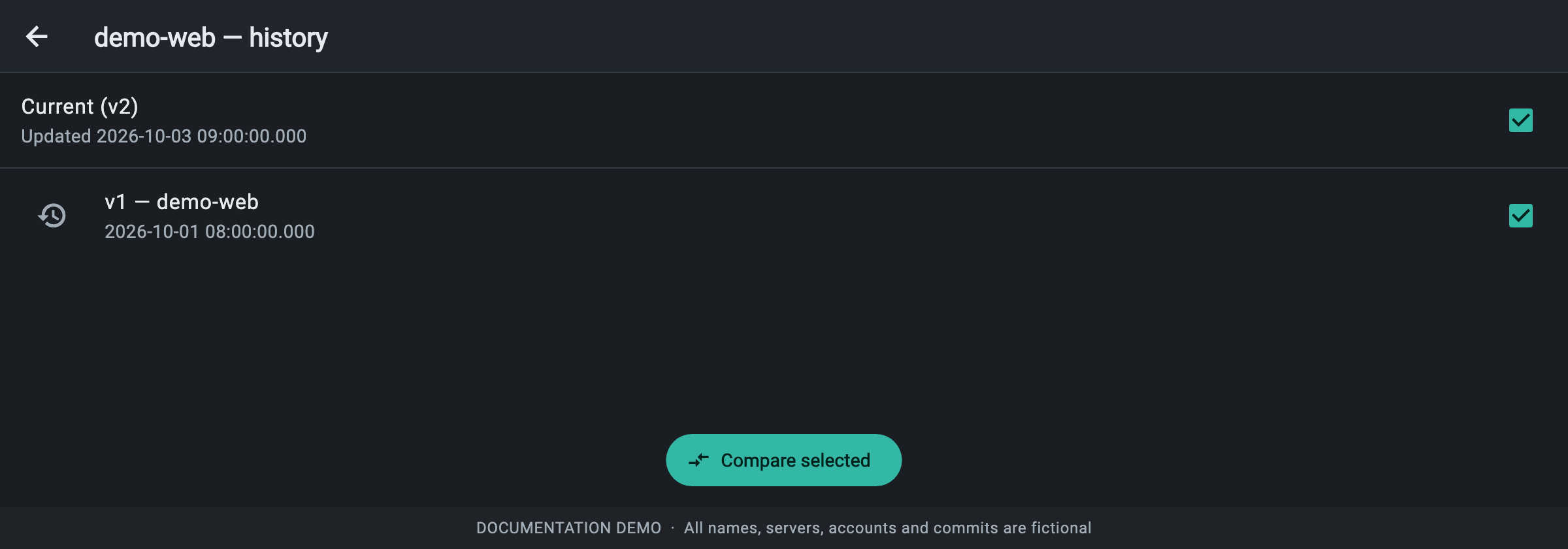
- Open Deployment Management → Compose files and choose Version history for a file that has been edited and saved.
- Select exactly two snapshots. You can choose two past versions, or one past version and Current.
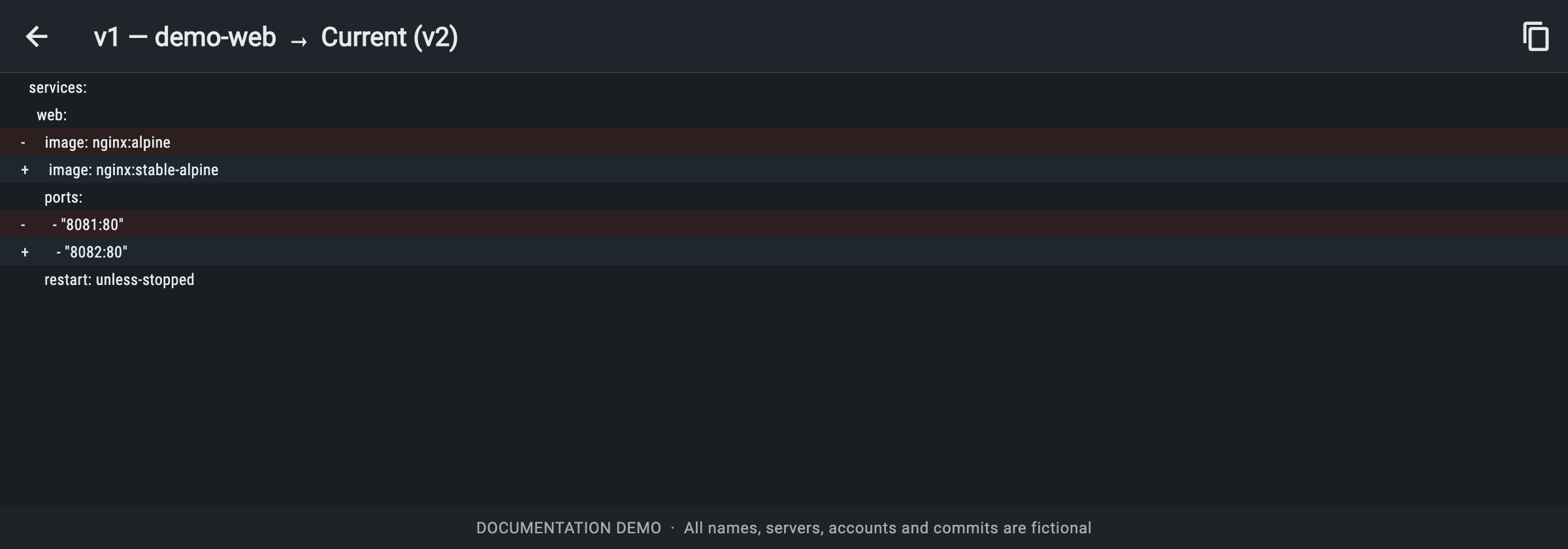
- Click Compare selected. The line diff shows older content first: - marks removed lines and + marks added lines. Identical content shows No differences.
- Use the copy button if you need the newer content. Restore this version replaces the saved definition with a past version while preserving the replaced content in history.
Example: review an image and port change
Illustrative changes from v1 to Current (v2):

-     image: nginx:alpine
+     image: nginx:stable-alpine
-       - "8081:80"
+       - "8082:80"
The comparison tells you that the image tag and published port changed. It does not prove those edits have been deployed. Restoring a saved Compose version changes the definition; use a deployment action to apply a configuration to running containers.
Compare what is deployed with the current definition
- Open a deployment from History, choose Drift and click Check for drift.
- Read Configuration, Git (when linked) and Running containers separately.
- Under Configuration, choose Compare deployed vs current to view Deployed (current revision) alongside Current definition.
- After taking the appropriate action, click Check again to inspect the latest result.
Example: a saved edit has not been deployed
Suppose demo-web runs revision 1 on port 8081. You save the Compose file with port 8082 but do not redeploy. Configuration drift explains that the saved definition differs; Compare deployed vs current shows the old port on the deployed side and the new port on the current side. Redeploy applies the intended edit. Restoring the saved definition to the deployed configuration is another choice when the edit was accidental.
Git and running-container drift
- Git drift compares the deployed commit with the tracked Git ref, including commit details when available. New commits can exist even if the Compose YAML itself did not change.
- Running containers compares agent inventory with the deployed revision: missing containers, stopped containers, different images and unexpected containers are listed.
- Check the inventory timestamp. A disconnected server’s last report does not establish its current state.
- No drift means the checked comparisons match; assess health and logs separately.
Example: a service was stopped outside the release workflow
If the demo-web container is stopped while its recorded revision expects it to run, Running containers lists Not running even when Configuration matches. Inspect why it stopped and its logs before starting or redeploying it. A Git update is not required to explain this runtime difference.
Revision, Compose version and Git commit
- Compose version is a saved definition snapshot. Compare selected shows a line diff between two snapshots.
- Deployment revision is a recorded rollout for one deployment. Revisions → View shows its YAML; Roll back selects a recorded state to deploy again.
- Git commit identifies repository code. Git report → By environment shows missing commits between environments where the history permits it.