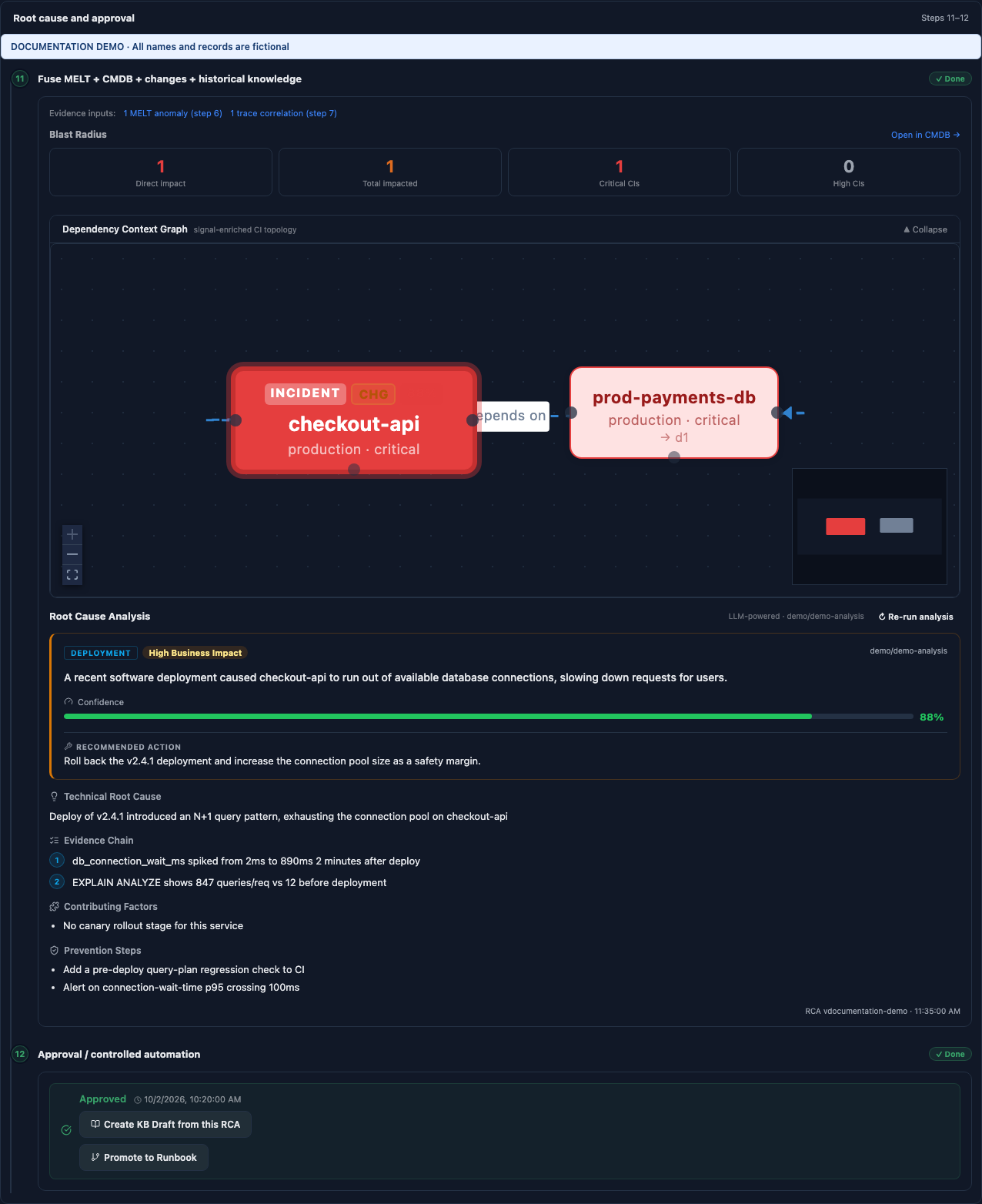
Inside Incident 360, open AI Analytics. Start with the summary, then expand the analysis log and its four groups. This view explains how the investigation arrived at its conclusion; it also exposes the human decisions and recovery results associated with the run.
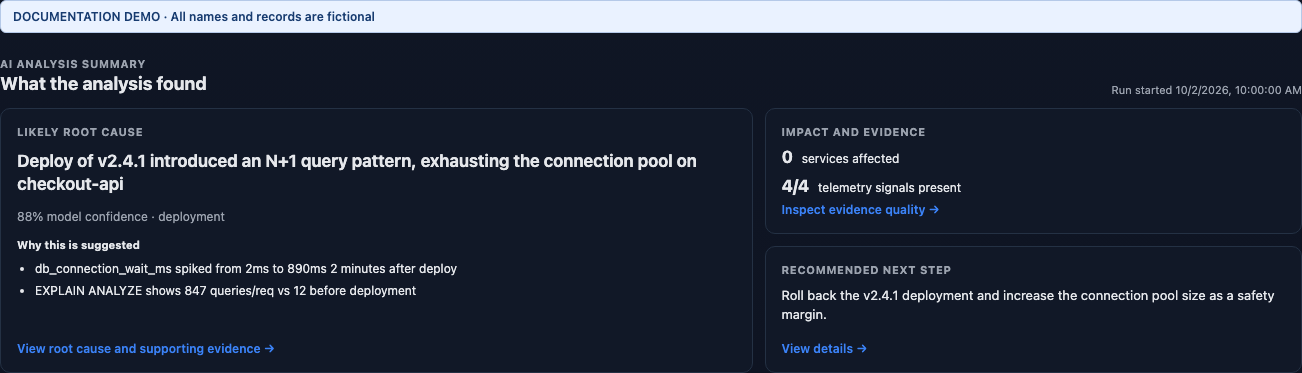
Steps 1–5: establish the incident and evidence quality
- Step 1 receives the incident; step 2 validates its affected CI or service. Correct an uncertain CI before trusting topology-based conclusions.
- Step 3 defines the evidence window; step 4 gathers Metrics, Events, Logs, and Traces (MELT). The time window matters because unrelated deployments and alerts can look similar.
- Step 5 checks completeness and quality. Missing traces, sparse metrics, stale data, or clock issues can weaken the result. Evidence quality measures the inputs; model confidence measures the conclusion.
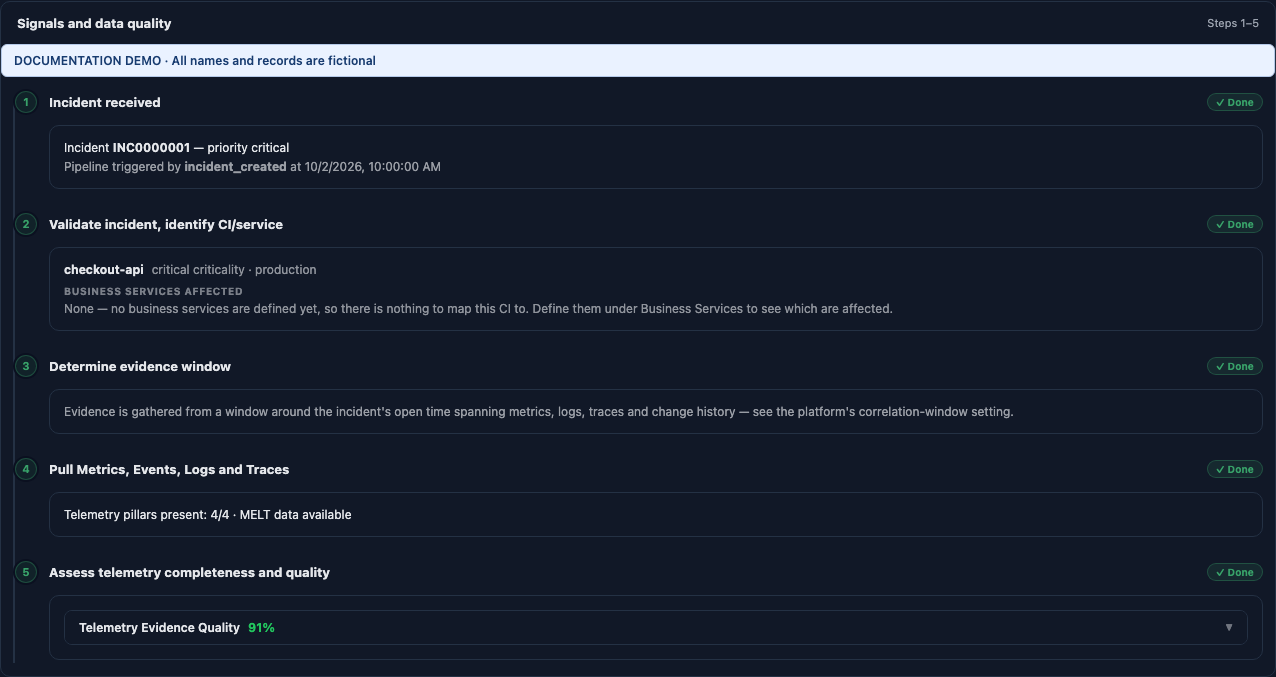
Steps 6–10: connect signals and rank explanations
- Step 6 detects anomalies. Connection-wait p95 rises from 2 ms to 890 ms in this example.
- Step 7 links logs and traces to the same request or entity: POST /checkout contains a connection-pool exhaustion error.
- Step 8 compares changes, deployments, and topology. The v2.4.1 deployment is a strong candidate because it affected the same CI and preceded the incident by 22 minutes.
- Step 9 builds the timeline and failure chain: deploy → N+1 queries → connection pool exhaustion → HTTP 500 responses.
- Step 10 ranks hypotheses. The leading deployment hypothesis scores 0.88; the alternative known-error recurrence scores 0.35 and has contradictory evidence. Read supporting and contradictory evidence before accepting the ranking.
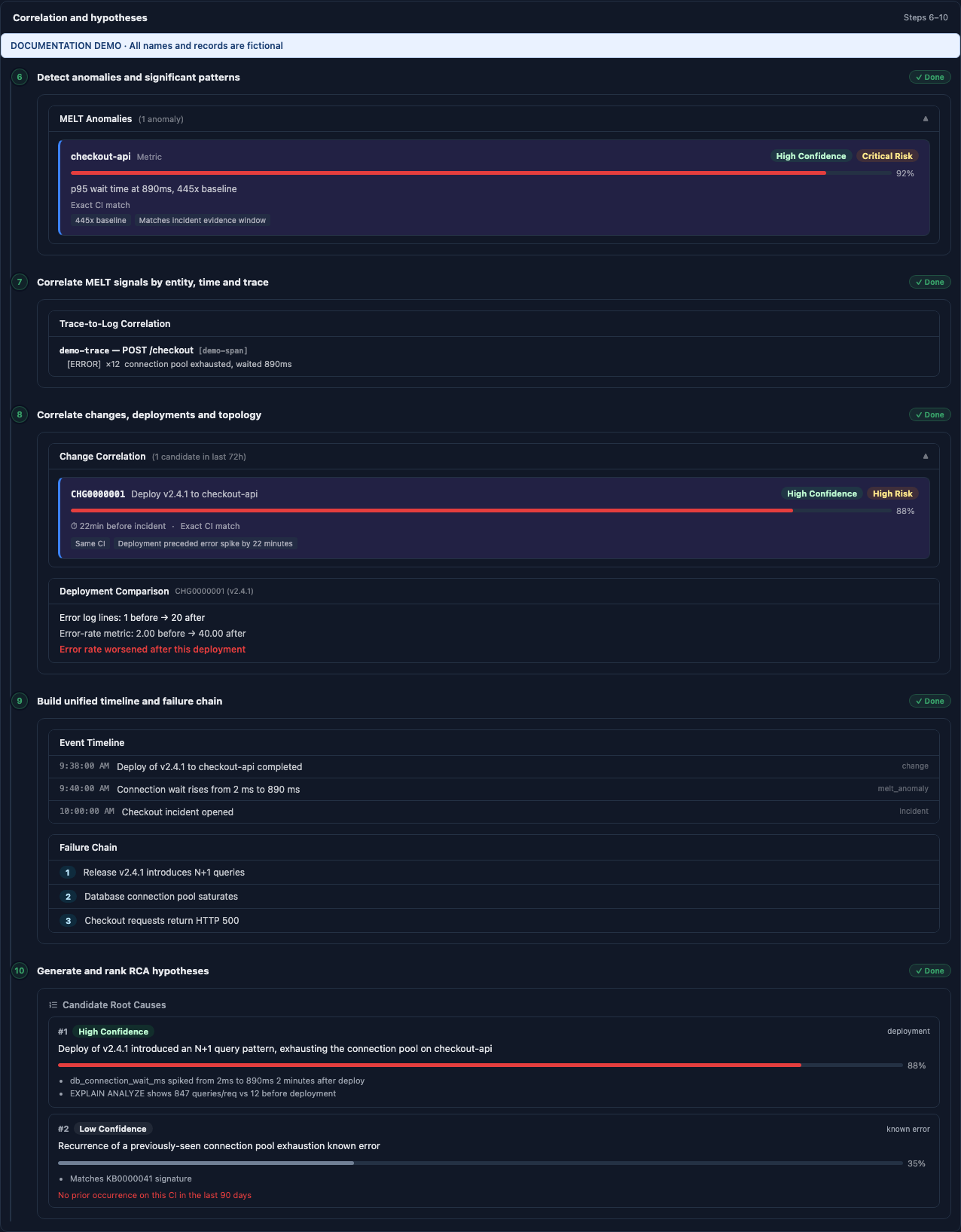
Steps 11–12: review the conclusion and approval
Step 11 combines the evidence into a root cause, business impact, immediate action, contributing factors, and prevention steps. The dependency context graph adds relationships and investigation context. Step 12 records review or controlled automation. The demo RCA was approved after the production-environment rule required human review.
- Approve the RCA when its evidence supports the conclusion; reject it with a reason when it does not; refine it when the human conclusion differs.
- Inspect each remediation step, its blast radius, rollback possibility, and change-ticket requirement. Approving an explanation does not make every proposed production action appropriate.
- The log, controls, and findings visible to a responder depend on their persona and permissions. These snapshots use the administrator view.
Steps 13–15: act, verify, and retain the outcome
Step 13 recommends a runbook or resolution. Step 14 verifies recovery through telemetry associated with a live execution. Step 15 retains the incident evidence and learning context. A completed pipeline and a recovered service are different outcomes: inspect the execution verification before deciding the incident is ready to resolve.
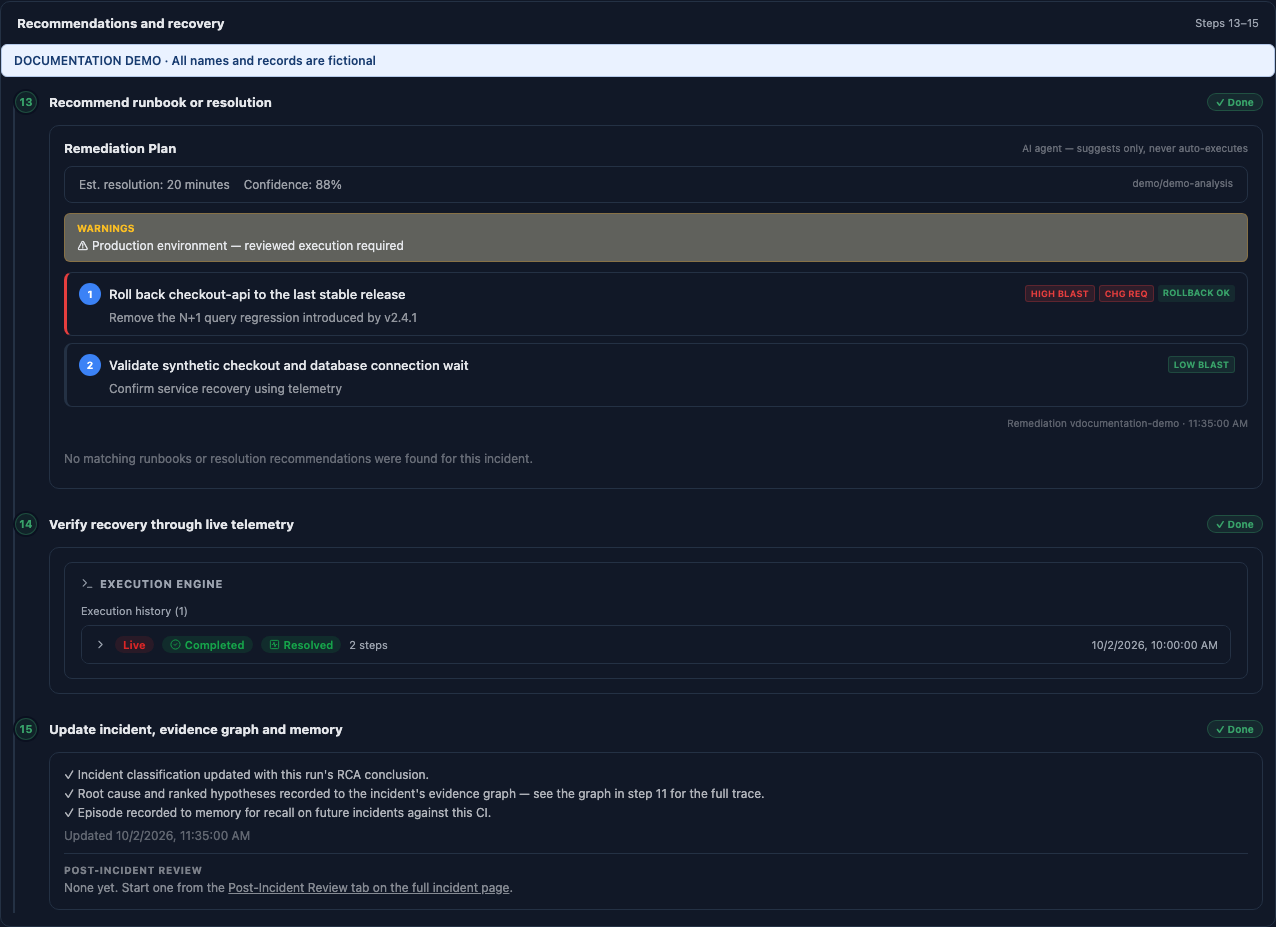
- RESOLVED: the recovery criteria are satisfied. Confirm functional recovery too.
- PARTIALLY_RESOLVED or NO_IMPROVEMENT: keep investigating the remaining impact.
- REGRESSION: the intervention worsened the measured condition; review rollback and the next investigation.
- VERIFICATION_INCONCLUSIVE: the available evidence cannot establish recovery. Do not interpret missing data as success.
Use the RCA report download when you need to share the investigation. Review its contents and recipients before sharing, because a live report can include ticket text, component names, and evidence.